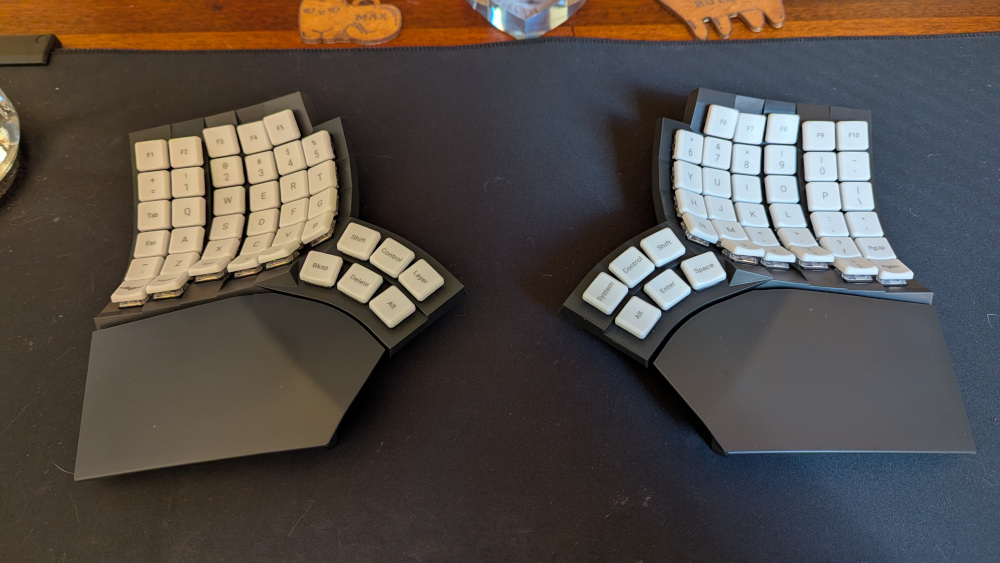
My custom keyboard layout
A list of my favorite custom keyboard features thus far, courtesy of TailorKey:
- Caps word: Engages the caps lock function only until you hit a word boundary (anything that's not an alphanumeric character, underscore, or backspace basically). So helpful I'm wondering how I ever typed without it.
- Home row modifiers: Tap asdf or jkl; and they function as normal letters, but hold them and they function as modifiers (ctrl, alt, cmd, shift). Tremendous.
- The "select word" functionality. This is a macro for alt-leftarrow (move cursor to beginning of word) followed by alt-shift-rightarrow (select to end of word boundary). There's also a select line, but I haven't found myself using that much yet.
I've also added some of my own customizations:
- A key that triggers a script that flattens whitespace from selected text
- Keys to uppercase, lowercase, titlecase, and sentencecase selected text
- A key that triggers a macro to type "site:citationneeded.news ", which I type constantly while writing my newsletters and trying to find a past newsletter where I referenced something
- A two-key combo to trigger the typically three-key cmd-shift-4 screenshot selected area command
- A two-key combo for "paste and match style", which is the hand-breaking four-key ctrl-option-shift-v
- A two-key combo for — (em dash), which is typically three (alt-shift-hyphen)
And I've moved some of my previous shortcuts that tended to bump up against other shortcuts (like alt-arrowkey to snap windows to portions of the screen) to esoteric key combos involving F13+ that will never conflict. (I don't have physical F13+ keys, but by using layers I just map comfortable keys to the shortcuts I want).